Robot Vacuum Comparisons · 9 min read
Roborock Qrevo Pro vs Dreame L40 Ultra: Which Fits Your Floors?
Choose Qrevo Pro for a simpler hard-floor routine, or original L40 Ultra for removable mops and edge-brush reach. Check carpet limits and refurbished versus new terms first.
Updated Oct 11, 2026
Research date Oct 11, 2026
Quick Verdict
Start with Qrevo Pro for mostly hard floors where you can clear small objects before cleaning. Choose the original Dreame L40 Ultra for removable mops, an extending side brush and more carpet-cleaning options. Both automate mop washing and dust emptying. L40’s extra functions matter most when you will use its floor-specific settings; neither replaces picking up every small hazard.
This comparison covers Roborock Qrevo Pro and the original 11,000Pa Dreame L40 Ultra, not Qrevo S Pro, Qrevo 2 Pro, L40 Ultra Gen 2 or L40s. The Roborock official product source currently available for this comparison is explicitly refurbished. Compare product condition as well as model name before treating two offers as equivalent.
Current Verified Prices
Any current offer below must match the exact model and independently verified listing. Check whether the item is new or refurbished, which brush is included, and the seller’s warranty. L40 Gen 2 and L40s offers are excluded from this original-model comparison.
RecentProfit may earn a commission from qualifying purchases. Read our affiliate disclosure. We read official US sources and published reviews; this is not a RecentProfit hardware test. Review-era prices are not current offers.
Official Differences: Floors, Mops and Purchase Condition
Specifications and limitations were checked on the Qrevo Pro US refurbished product page and original L40 Ultra US page on October 11, 2026. The first source identifies the hardware but also describes a particular refurbished offer; its purchase terms do not establish the terms for every Qrevo Pro seller.
Scroll horizontally to compare all columns →
| Decision point | Qrevo Pro | Original L40 Ultra | What to check at home |
|---|---|---|---|
| Manufacturer peak suction | 7,000Pa | 11,000Pa | These ratings are not comparable debris-pickup percentages or a promise about pet hair. |
| Edge reach | Extending FlexiArm mop | Extending side brush and mop | An extending mop reaches a different cleaning task from a side brush collecting dry debris. |
| Carpet handling | 10mm mop lift; selectable carpet modes | 10.5mm mop lift and removable mops | A half-millimeter lift difference is not proof that either protects your particular rug. |
| Mop washing at the dock | 140°F hot-water washing | 149°F / 65°C on the current US page | This describes dock washing, not the temperature of water applied to your floor. |
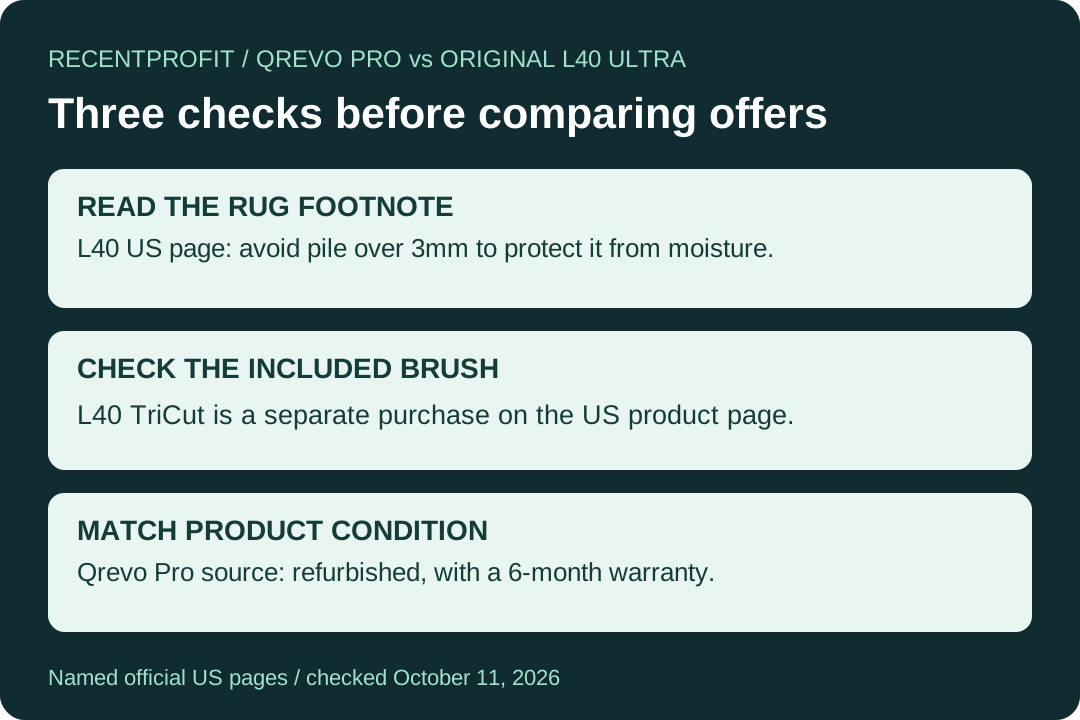
| Roller configuration | All-rubber main brush | TriCut anti-tangle brush listed as a separate purchase | Check the actual included brush and accessory cost, rather than assume a review bundle. |
| Dirt-related automation | Re-mopping requires manual activation in the app | OmniDirt is off by default and active only in CleanGenius Mode | An advertised feature may need configuration before the first unattended run. |
Pros and Cons from Published Testing
These observations are attributed to two different reviewers, not a controlled head-to-head test. The official documents control model identity, included accessories and feature limits.
Scroll horizontally to compare all columns →
| Trade-off | Qrevo Pro: RTINGS observations | L40 Ultra: TechRadar observations |
|---|---|---|
| Pro 1 | Strong hard-floor pickup in its tests. | Effective vacuuming and mopping in the reviewer’s home. |
| Pro 2 | Useful stain removal from its mopping system. | Handled the reviewer’s pet hair well. |
| Pro 3 | Multifunction dock reduces routine handling. | Accurate mapping and generally capable obstacle avoidance. |
| Con 1 | Weak pickup of much of the tested pet hair on carpet. | The tall cleaning base needs a suitable visible storage space. |
| Con 2 | Small-object avoidance was unreliable, particularly on carpet. | The obstacle trial still pushed a small toy and ran over a glove. |
| Con 3 | Fine material at carpet edges was difficult to remove. | The reviewer would not trust it to avoid pet waste or every small low object. |
Sources: RTINGS’ Qrevo Pro review and TechRadar’s original L40 Ultra review, public bodies read October 11, 2026. TechRadar’s sample included a TriCut brush; the current US manufacturer page says to purchase that accessory separately. We do not transfer the sample’s bundle into today’s US offer.
Mostly Hard Floors: What Would L40 Add?
Qrevo Pro already supplies the main daily workflow: vacuuming, spinning mops, automatic dust emptying, water refilling and hot-water mop washing. Its extending mop addresses the wet-cleaning edge. If your floor is predominantly hard surface and you can remove cords and small toys first, write down a specific missing task before upgrading to L40.
An extending side brush is a separate reason to consider L40: it targets dry debris at edges, while the mop performs the wet-cleaning job. This distinction is more useful than counting both machines as simply having an extending arm. Walk around the rooms you actually clean and separate dry corner debris, sticky marks and carpeted zones. They require different functions.
Rugs: Read the Pile Restriction Before the Lift Number
L40’s US footnote recommends using the Dreamehome app to avoid medium- and high-pile carpets when the pile is longer than 3mm, to protect them from moisture. That restriction sits alongside its 10.5mm lift specification. Do not read the lift height as permission to mop across every rug shorter than that height.
Its removable mops give you another way to organize vacuum-only and mopping work. Set the appropriate mode and no-mop areas, then observe a first run around your own rugs. Mop removal, mop lifting and avoiding a zone are three different behaviors; confirm which one your chosen routine uses instead of assuming the robot will choose your preferred strategy.
Qrevo Pro’s official FAQ distinguishes Rise, Avoid, Ignore and Cross carpet modes. Rise lifts the mop and stops water flow; Avoid keeps the robot off carpets; Cross passes over without cleaning. A rug that only connects two hard-floor rooms presents a different task from a carpet you want vacuumed. Choose the mode for that task, and inspect the rug after the first pass.
Pet Hair and Small Objects Are Separate Problems
A pet household needs both pickup and obstacle handling. The linked Qrevo Pro review found good hard-floor pickup but weaknesses with carpet hair and small obstacles. That makes it a more qualified choice for mostly hard floors than for a carpet-heavy home expecting hands-off pet-hair removal. Increasing the advertised suction number alone does not resolve either problem.
The L40 review gives a stronger reason to investigate its pet-hair workflow, but its successful larger-obstacle avoidance did not cover every small item. Keep pet waste, loose cables and chewable toys off the cleaning route. If your main problem is toys repeatedly left on carpet, first decide whether you can maintain a clear route; do not spend more expecting a camera to eliminate that responsibility.
For long hair, check the included roller before adding a price premium to the comparison. The current L40 US page explicitly labels TriCut as a separate purchase. A retailer bundle might differ, but it needs its own listing evidence. The existence of an anti-tangle accessory does not prove that the box you are considering contains it.
Turn On the Features You Are Paying For
Qrevo Pro’s automatic re-mopping needs manual activation in the Roborock app. On L40, the official OmniDirt note says the function is off by default and only active in CleanGenius Mode. A shopper who plans to use only a simple scheduled routine should check whether that routine enables the desired stain-detection behavior.
The same L40 page limits Suction Boost: it is not available under quiet suction mode. This creates a practical scheduling choice for a home that needs quiet cleaning while people work. Decide whether the quiet routine or a later stronger carpet pass fits the day, rather than expecting every promoted feature simultaneously in every mode.
Refurbished vs New: Compare the Actual Offer
The official Qrevo Pro listing read for this article is labeled certified refurbished and displays a 6-month warranty. The L40 product FAQ states a one-year warranty. These are the terms shown on those named US pages on October 11, 2026, not a blanket warranty comparison covering every marketplace seller or bundle.
Before ordering, record the condition, seller, included accessories and applicable return/warranty terms from the offer you will actually buy. A lower price on a refurbished unit does not tell you what a new unit should cost. Likewise, an original L40 comparison should not silently become an L40 Gen 2 purchase because a newer listing appears in search.
Both docks still need access for water handling and consumables. The L40 official dock dimensions are 340 × 456.7 × 590.5mm; those physical dimensions are not an installation-clearance allowance. Check the space above the water tanks and the route for removing them before putting the base under a shelf. Auto-emptying and auto-washing do not make the clean and dirty water tanks disappear.
Which Should You Buy?
- Mostly hard floors and a clear cleaning route: Qrevo Pro remains a sensible starting point. Compare a verified offer with its exact condition and warranty.
- Separate rug vacuuming from wet mopping: investigate L40’s removable-mop workflow and carpet settings, while respecting the US pile warning.
- Pet hair plus edge debris: L40’s review and extending side brush make it worth considering; budget separately for TriCut unless your exact bundle includes it.
- Unattended clutter or pet accidents: neither page provides grounds to promise a completely hands-off solution. Clear hazards before a scheduled run.
See Roborock offers and model choices, Dreame offers and model choices, or return to all buying guides. For newer Roborock hardware, use the separate Qrevo S Pro vs Qrevo 2 Pro comparison.
Sources and Review Method
- Roborock Qrevo Pro US refurbished listing and FAQ — hardware and offer-condition evidence checked October 11, 2026.
- Dreame original L40 Ultra US product page and footnotes — model, modes, accessory exclusion and warranty FAQ checked October 11, 2026.
- RTINGS Qrevo Pro review — public test conclusions read October 11, 2026.
- TechRadar original L40 Ultra review — public hands-on observations read October 11, 2026; sample accessories kept separate from the US offer.
FAQ
Should I buy Qrevo Pro or the original Dreame L40 Ultra?
Start with Qrevo Pro for mostly hard floors and a clear cleaning route. Consider L40 Ultra when removable mops and an extending side brush solve specific carpet or edge-cleaning needs. Check the actual item condition and included brush before comparing offers.
Is the L40 Ultra TriCut brush included?
The original L40 Ultra US product page checked October 11, 2026 says TriCut is purchased separately. A review sample or retailer bundle may differ; confirm the contents of your exact listing.
Does a 10.5mm mop lift make L40 Ultra safe for every rug?
No. The US page recommends avoiding medium- and high-pile carpets with pile longer than 3mm through the app to protect them from moisture. Mop lifting, removal and zone avoidance are separate behaviors; select the appropriate routine and inspect the first run.
Will Qrevo Pro automatically re-mop dirty areas?
Its official page says automatic re-mopping must be enabled manually in the Roborock app. Do not assume the feature is active just because it appears in the product description.
Is the Qrevo Pro official listing in this comparison refurbished?
Yes. The official Qrevo Pro page used here is explicitly labeled certified refurbished and displays a 6-month warranty. Those terms belong to that offer and do not describe every new or marketplace listing.
Does this page compare L40 Ultra Gen 2?
No. It covers the original 11,000Pa L40 Ultra. L40 Ultra Gen 2 and the L40s variants are different models and are not interchangeable price or specification matches.