Keyboard Comparisons · 8 min read
Keychron V1 vs K2: Wired Customization or Wireless Use?
Compare the original wired Keychron V1 with the US ANSI K2 Version 3 by connectivity, layout, modification options and review-backed trade-offs.
Updated Oct 12, 2026
Research date Oct 12, 2026
Quick Verdict
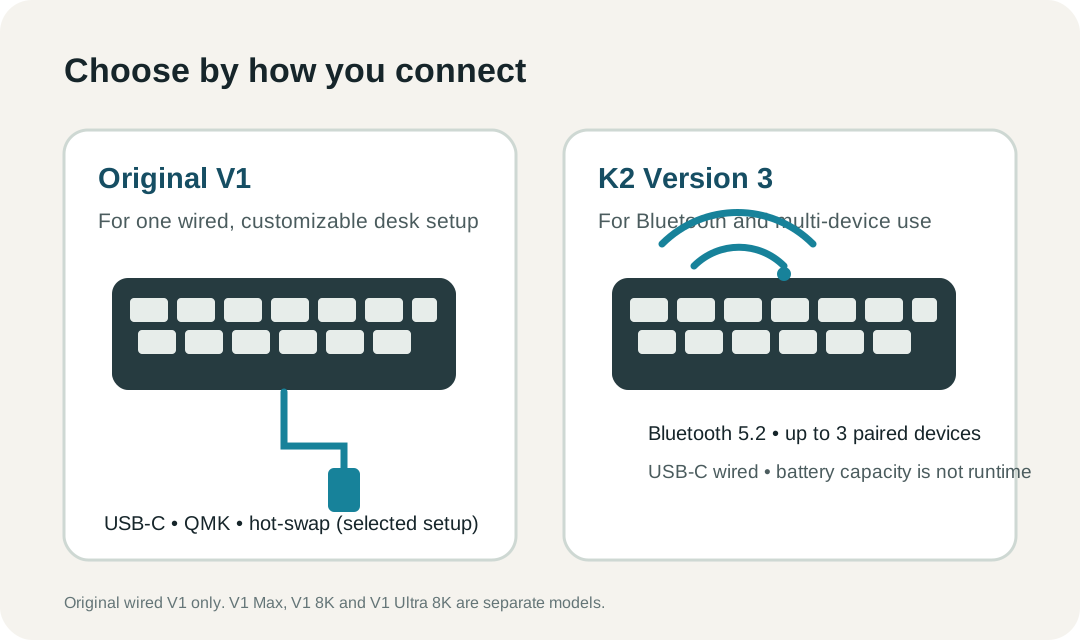
Choose the original Keychron V1 if you want a wired 75% custom board with QMK/VIA-style remapping and hot-swap flexibility. Choose K2 Version 3 if Bluetooth matters: it can pair with up to three devices and also works over USB-C. The V1 covered here is the original wired V1—not V1 Max, V1 8K, or V1 Ultra 8K. The K2 is US ANSI Version 3, not K2 Version 2, K2 Max, or K2 HE.
Current Price and Official Product Pages
No exact configuration price or live offer is independently verified in RecentProfit's current product feed for this comparison, so this page does not publish a fixed dollar amount or retailer button. Check the chosen configuration on the official original V1 page and the official K2 Version 3 page for current price, stock and delivery.
Both named product pages say discount codes cannot be used for their respective models. That model-specific exclusion does not tell you whether a sale price is shown. RecentProfit did not test checkout or either keyboard hands-on.
The Differences That Change the Choice
Scroll horizontally to compare all columns →
| Decision point | Original V1 | K2 Version 3 | What it means |
|---|---|---|---|
| Wireless use | Wired USB-C only | Bluetooth 5.2 for up to three paired devices; USB-C wired | Choose K2 if you need to move between a desktop and other paired devices. |
| Layout | 75%, 82 keys | 75%, 84 keys | Both save desk width, but the K2 adds two keys; check the exact layout before switching muscle memory. |
| Customization | QMK, Keychron Launcher and VIA-compatible remapping; hot-swap 3-pin/5-pin switches | QMK and Launcher; hot-swap support depends on selected configuration | V1 is a wired enthusiast choice; confirm the K2 selector and switch option before ordering. |
| Case and mounting | ABS plastic, tray mount, steel plate | Plastic or aluminum frame options | The V1 review describes a more resonant, slightly stiffer feel; the K2 frame changes its listed weight. |
| Power | No battery; cable powered | 4,000 mAh battery listed | Battery capacity is not a tested runtime figure. The K2 avoids a cable while typing wirelessly. |
What Independent Reviews Add
These are not controlled side-by-side tests. Tom's Guide reviewed the original V1 and V1 Max in one article and distinguishes their wired versus wireless features; the V1 observations below are limited to the original wired model. RTINGS tested a preassembled V1 without a knob. Lifelog Base's K2 account is a one-month owner review of K2 Version 3, with the reviewer's country not established.
Scroll horizontally to compare all columns →
| Review-backed experience | Original V1 | K2 Version 3 |
|---|---|---|
| Positive | Tom's Guide praised typing feel and sound. | The owner found its standard-height spacing comfortable for longer writing. |
| Positive | Tom's Guide highlighted hot-swap and remapping; RTINGS describes the V series as accessible for customization. | The owner liked the look and the key spacing compared with a tighter low-profile board. |
| Positive | The review describes a sturdy plastic case and simple VIA customization. | The owner found the red switches easy to press during longer writing sessions. |
| Caution | It is wired only; the review notes this is a downside if a cable-free desk is important. | The owner found the full-height board thick and heavy for carrying. |
| Caution | The reviewer says non-shine-through keycaps make south-facing RGB less visible from above; RTINGS notes the tray-mount feel can be stiffer and more resonant than gasket-mounted boards. | The owner found the red switch lighter than expected and the typing sound louder than expected. |
| Caution | V1 Max's Bluetooth and 2.4GHz behavior must not be attributed to original V1. | The owner reported dust gathering around the keys; this is one person's observation, not a reliability finding. |
Sources: Tom's Guide original V1 review, RTINGS Keychron V series review, and Lifelog Base K2 Version 3 owner review. Each source discusses its own review unit and setup; its impressions should not be read as a controlled V1-versus-K2 result.
Which One Should You Buy?
Pick the original V1 if the keyboard will stay on one desk, you prefer a wired connection, and you want a board set up for remapping and switch changes. It avoids battery charging and supports a cable-first custom setup. Its wired-only connection and non-shine-through keycaps are practical limits, not issues that V1 Max features solve on the original model.
Pick K2 Version 3 if Bluetooth pairing is the deciding feature or you use one keyboard with several devices. It still offers wired USB-C use, but the 4,000 mAh capacity does not predict your personal runtime. Check whether the chosen frame, backlight and switch configuration is hot-swappable; the review sample is not every available K2 option.
Do not use V1 Max or V1 8K/Ultra 8K reviews as if they describe the original V1. If you meant a newer V1 model, compare that exact variant with K2 Version 3: wireless mode, firmware, polling behavior and price differ by generation. The current official V1 page itself points shoppers toward newer V1 8K and V1 Ultra 8K products.
Sources and Method
Keychron's original V1 US product page and K2 Version 3 US page were checked October 12, 2026. Connectivity, layouts, battery capacity, mounting and switch-compatibility claims come from the named manufacturer pages. Review observations remain attributed to Tom's Guide, RTINGS and the owner reviewer. No exact configuration price was independently verified, and RecentProfit did not test either keyboard.
FAQ
Is the Keychron V1 wireless?
The original Keychron V1 compared here is wired over USB-C. V1 Max, V1 8K and V1 Ultra 8K are separate models with different features.
Should I get a Keychron V1 or K2?
Choose the original V1 for a wired custom keyboard setup. Choose K2 Version 3 if Bluetooth connectivity and pairing with up to three devices matter.
Are the V1 and K2 the same layout size?
Both are 75% boards. Keychron lists 82 keys for the original V1 and 84 keys for K2 Version 3, so check the layout and key positions before changing boards.
Can I use V1 Max reviews to judge the original V1?
No. The original V1 is wired only. V1 Max is a separate wireless product; V1 8K and V1 Ultra 8K are newer models as well.
Can I use a discount code on either keyboard?
The official Keychron product pages checked October 12, 2026 say codes cannot be used for the original V1 and K2 Version 3. This does not establish whether either page has a sale price.
Does K2's 4,000 mAh battery prove a longer runtime?
No. Capacity is a specification, not a same-condition runtime test. The practical difference is that K2 Version 3 supports Bluetooth use without a cable while the original V1 does not.